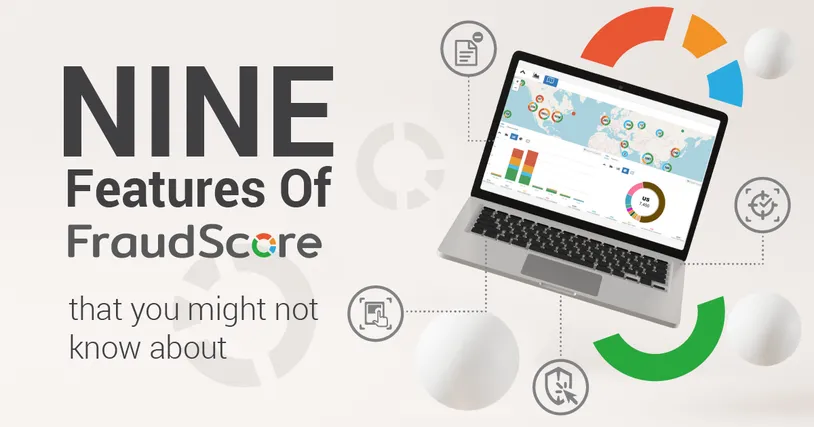
FraudScore is recognized as a feature-rich antifraud solution. With 150+ fraud patterns analyzed for each conversion in FS.Action, and SafeClick fraudulent click filtering and redirecting, there are still always new features to learn and explore. Let’s examine nine FraudScore features that you may need, but possibly don’t know about:
- Alerts
- Guest Access
- Data API
- BlackList
- SafeClick’s monitoring mode
- Set filters for SafeClick
- Download the report — set the fields for the report to share
- SmartReject
- FraudScore’s Customer labels
Let’s take a look at the features:
Alerts
Alerts are warnings from FraudScore that signal you to take a look at FraudScore’s report. For example, perhaps traffic quality has reached an alarming state, and you need to pay attention. FraudScore alerts you via email.
You can set the alerts according to your specific needs:
- Set the parameters for which alerts you would like to receive (e.g., offer ID, affiliate ID, affiliate sub1, etc.)
- Set the fraud score that is alarming. The FraudScore team always recommends digging into traffic when the fraud score is higher than 33.
- How many conversions of a suspicious quality are alarming? Set the count. For example, three fraudulent conversions are okay — it happens — but a total of 30 is highly alarming.
Here is an example of FraudScore’s alerts settings:
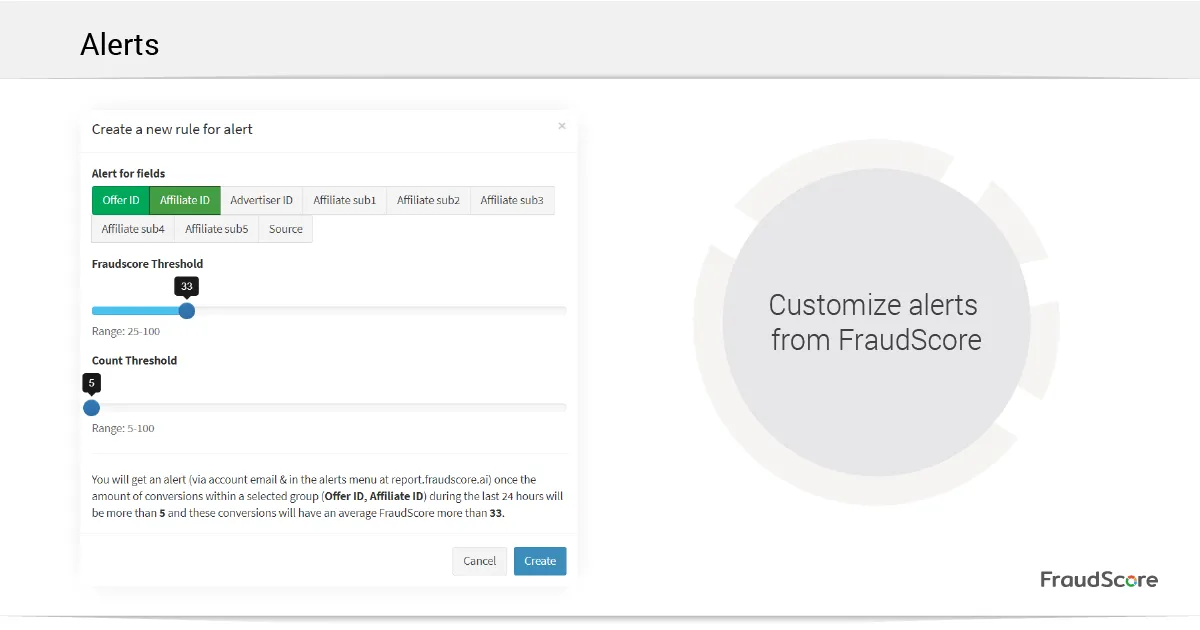
Take a look at the comment at the bottom of the screen. You can see how FraudScore alerts work with this particular setting.
Guest Access
Imagine that you need to add a manager or partner to your FraudScore account in order to examine traffic quality reports. However, you don’t want to share all of the data and campaign information. That task is easily solved with the Guest Access feature. In your FraudScore account, you can create guest users and establish their data access rights:
- Set the specific fields in the FraudScore report for each user. For example, you may want a user to view Click IDs and Offer IDs, but nothing else.
- Set the specific filters (e.g., offer ID, date, or conversions from a particular affiliate).
- Encrypt data that you want to show to a guest user, but you don’t want to share the real data. FraudScore’s Guest Access feature allows you to encrypt data in the report.
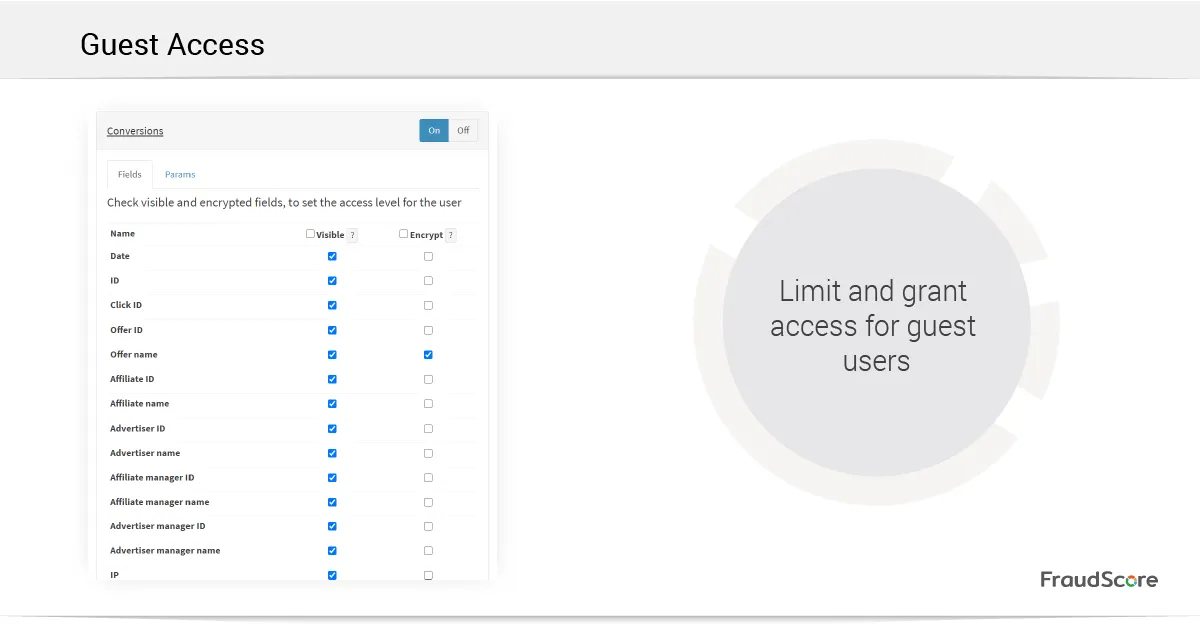
The Guest Access feature is included in all plans. There are no additional costs.
FraudScore Data API
The FraudScore Data API allows you to receive your analysed data from our platform data, and build custom dashboards and automations on your end. For example, if you have a BI or custom-made reporting system, it’s possible to put the FraudScore analysis results via Data API into it. To learn more about FraudScore’s Data API opportunities, contact your manager.
Blacklist
There is an option in the FraudScore account to blacklist and stop scoring traffic from certain affiliates, advertisers, or offers. This option means that you can stop FraudScore from scoring specific data:
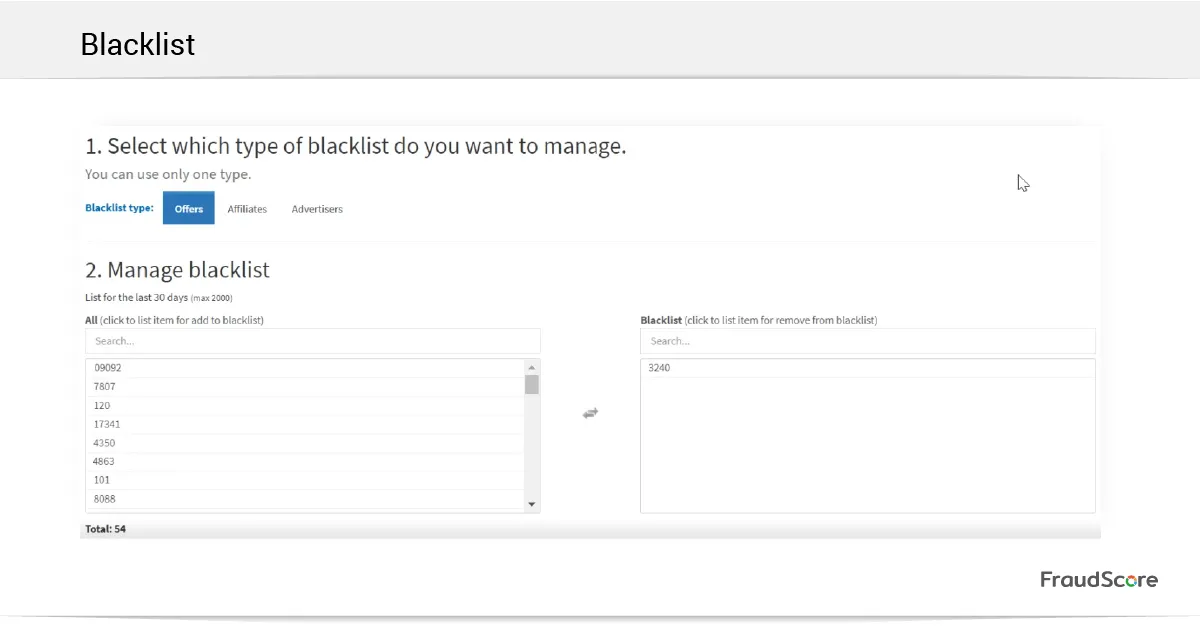
Still, you must keep in mind that, first, it’s highly recommended that FraudScore has access and can score all of your traffic. This allows the algorithms to process your specific traffic properly. Second, history has demonstrated multiple times that low-quality traffic can appear even from trusted partners. So, trust, but verify even your reliable sources.
Monitoring Mode in SafeClick
The Monitoring Mode in the SafeClick solution is when all clicks go to your target URL, but you’re able to view the traffic quality report in your FraudScore account. With monitoring mode, you’re able to keep an eye on click quality, as all clicks (both fraudulent and real) are not filtered, but are instead analysed and available for post analysis in the report.
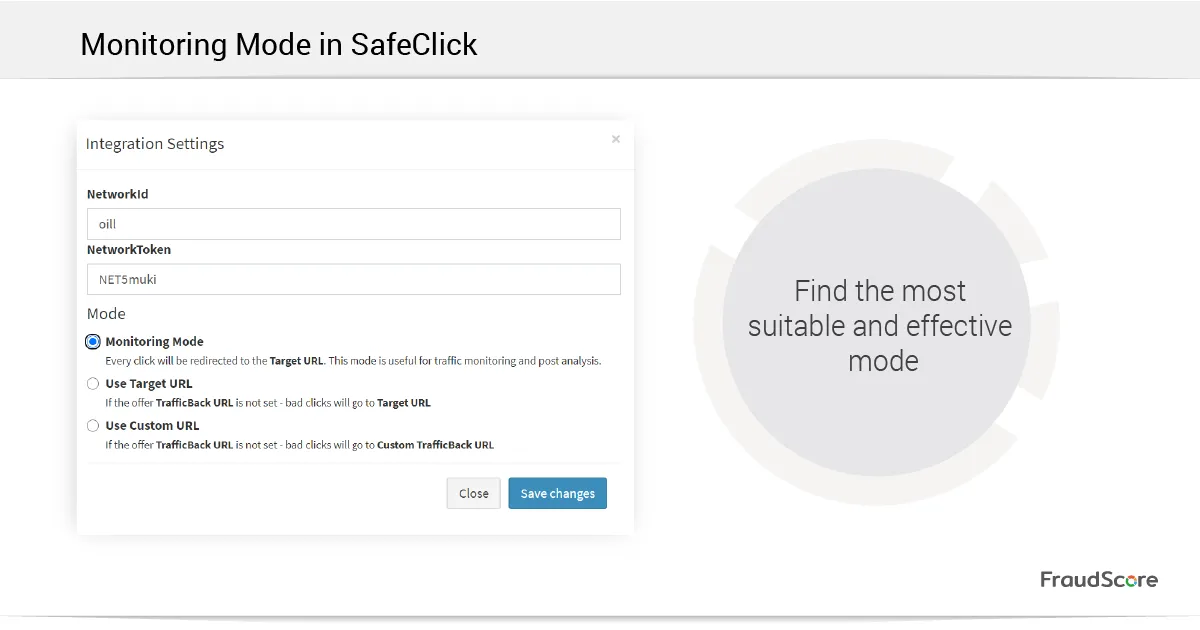
This mode might help you check the traffic quality of new affiliates and monitor existing campaigns. Additionally, Monitoring Mode is a great way to test the SafeClick solution without disturbing campaign traffic. You can try different settings and find the most suitable and effective mode for you.
Custom Filters for SafeClick
You can choose fraud filters that will be used for your click traffic analysis. This feature allows you to customize SafeClick settings according to your traffic peculiarities. You simply select the filters that you want to use for your click scoring:
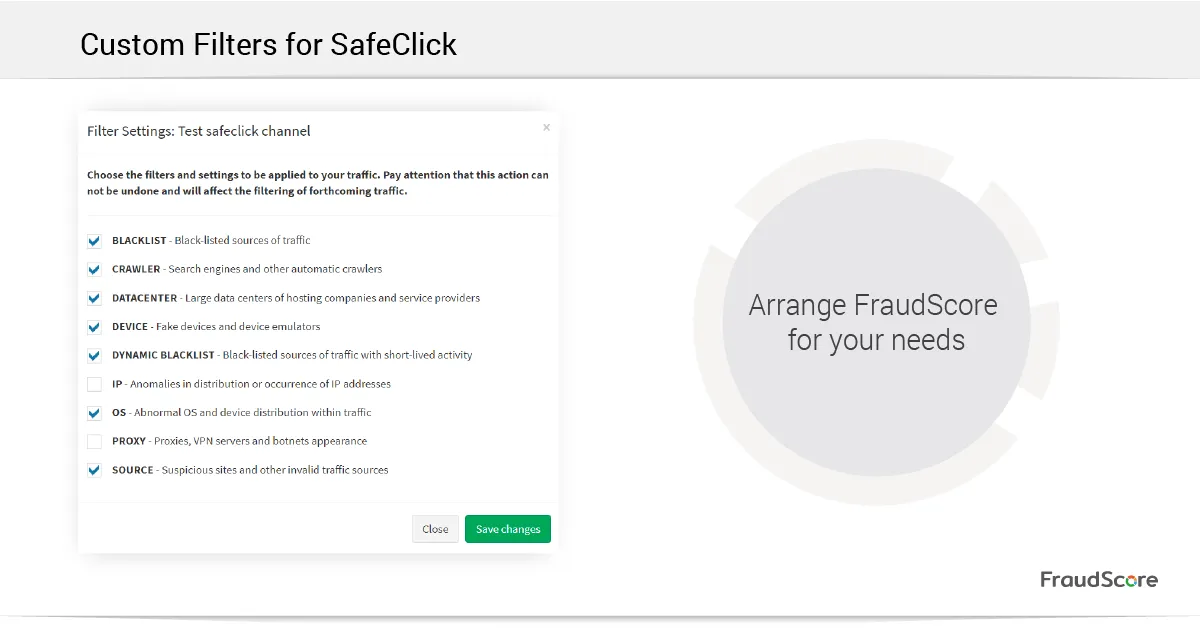
For example, if your CPA-offer allows traffic to come through proxies, you can turn the Proxy Filter OFF.
Customizable and Downloadable FraudScore Report Fields
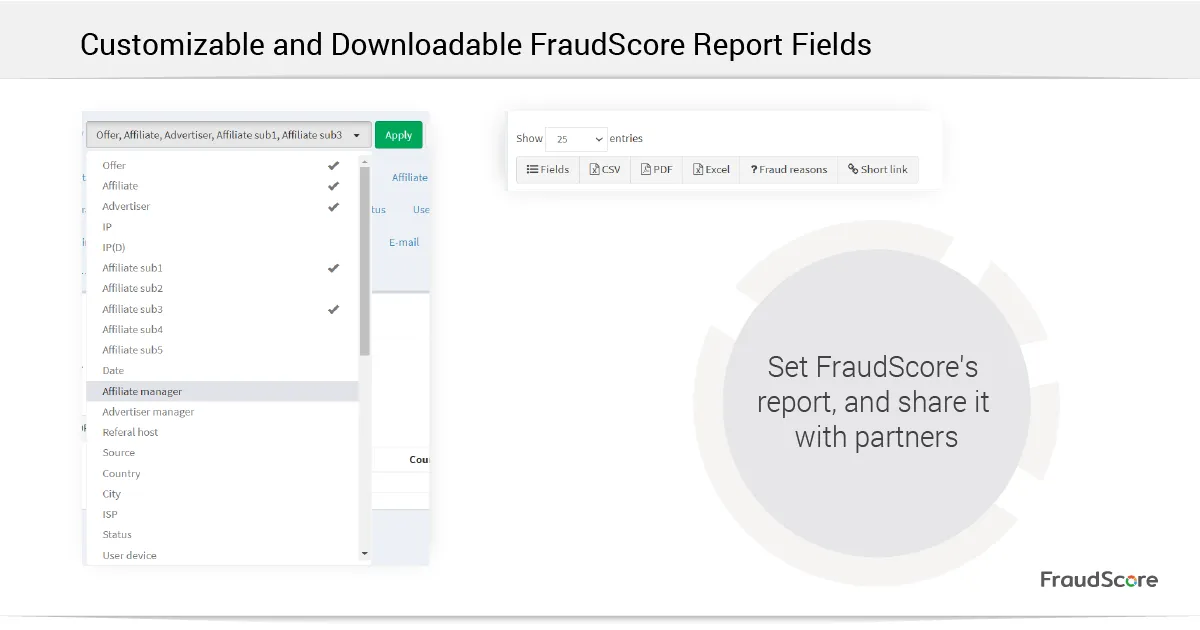
First, FraudScore reports can be downloaded and shared with your partners. You are able to download the report in PDF, Excel, and CSV. Alternatively, create a short link to share.
Second, you are able to set the fields in the report, including what data to show or hide from a partner. Simply select the data set and you are good to go. This option also allows you to set different reports for different partners. Simply customize the fields and download the reports.
SmartReject
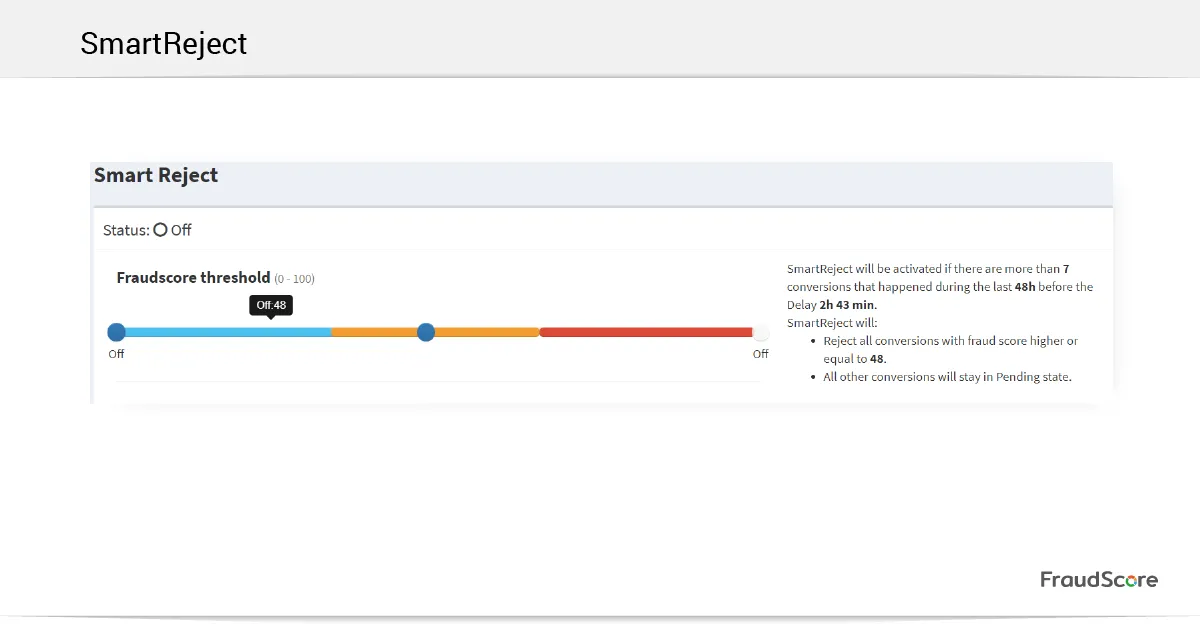
SmartReject is a feature that was developed specifically for conversion scoring. It rejects fraudulent conversions from undermining campaign statistics. Inside your marketing platform, SmartReject analyses the quality of pending conversions — and approved* ones, if you allow it. It also assesses whether a conversion is genuine or fraudulent, and can reject or approve it accordingly, saving your managers time. As a result, your campaign receives only approved quality conversions, and you’ll be paying only for quality traffic.
FraudScore also provides a wide range of settings for SmartReject:
- Set the specific fraud score for conversions that must be approved, rejected, or left in “pending” status until you approve them.
- Set the delay time for SmartReject to start checking your conversions.
- Allow FraudScore to comment on each rejected conversion on your platform side*. In this case, FraudScore will add a reason (i.e., detected fraud type) for blocking the conversion.
*depending on the platform
Note that you need to consult your FraudScore’s manager to make sure that SmartReject is available for your marketing platform.
FraudScore’s Customer Labels
All FraudScore clients can get a label to post to social media or their website. The label symbolizes that a company is serious about its traffic quality and is using FraudScore’s solution to fight fraudsters. Companies that are open about their viewpoint towards ad fraudsters are welcome to use the label and confirm that ad fraud is on their radar.
If you have questions about any of the aforementioned features, or you are interested in getting a demo of the FraudScore system, contact our team via sales@fraudscore.mobi, and we’ll be happy to help. Don’t forget that our team of experts is always open for suggestions — tell us what you’re missing in FraudScore, and let’s discuss!